
Paying your wireless bill on time is essential for keeping your service active and avoiding unnecessary interruptions.
Fortunately, T-Mobile offers several convenient ways to make your monthly payment, whether you prefer handling it online, using the mobile app, paying over the phone, visiting a retail store, or mailing a check.
This guide walks you through every available payment method, explains where to find your account number, and shows you how to set up AutoPay for a more convenient billing experience.
Find Your T-Mobile Account Number
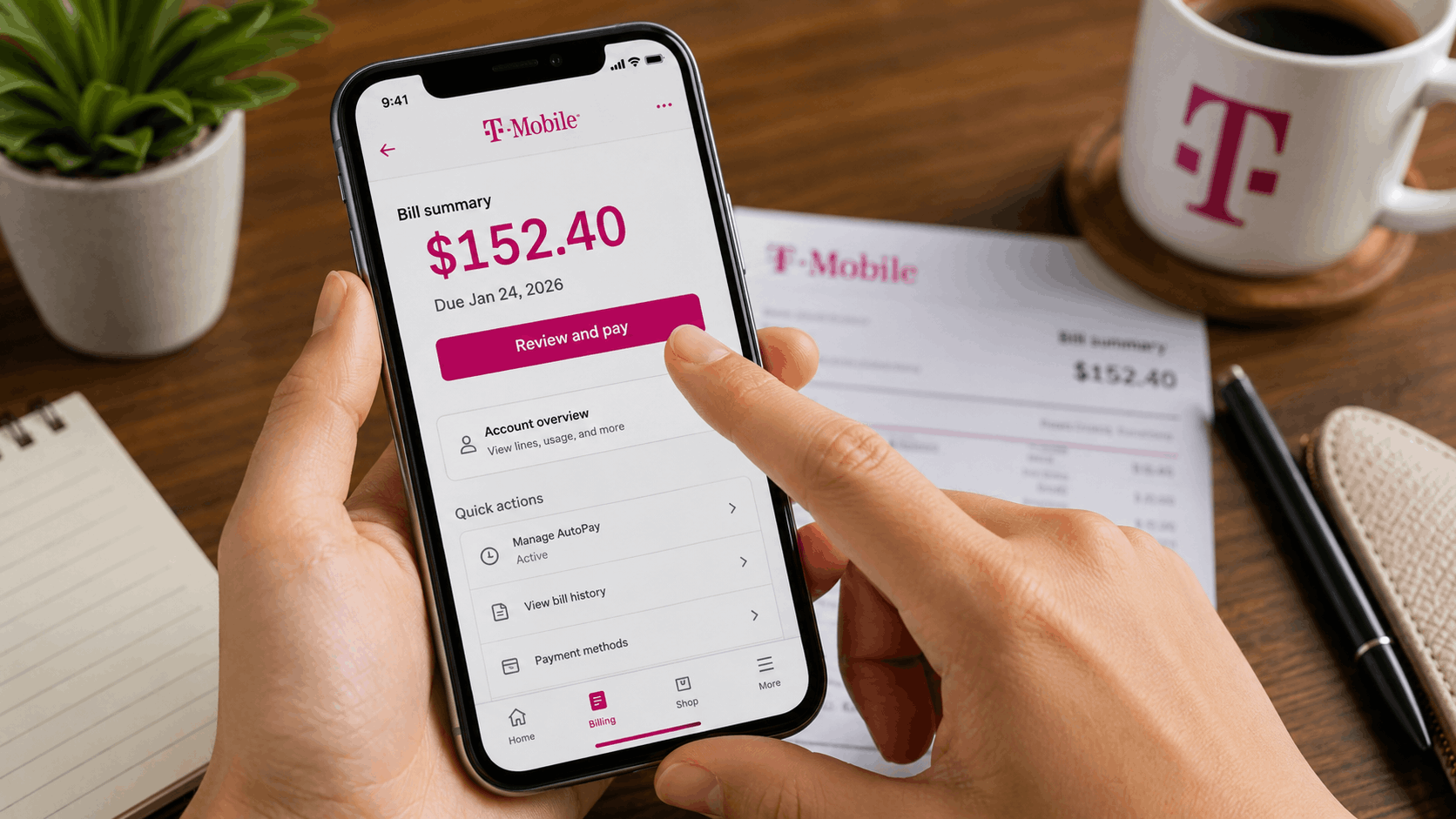
Before making a payment, you’ll need your T-Mobile account number. Fortunately, it’s easy to locate.
You can find it in one of the following places:
- At the top of your printed T-Mobile bill.
- On the dashboard after signing into your online T-Mobile account.
- On the home screen of the T-Mobile app, alongside your current account balance.
Having your account number readily available helps ensure your payment is processed correctly, especially if you’re paying by phone or mail.
How to Pay Your T-Mobile Bill Online
For most customers, paying online is the fastest and most convenient option. T-Mobile allows payments through both its website and its official mobile app.
Pay Through the T-Mobile Website
To pay your bill online:
- Visit the T-Mobile website and sign in to your account.
- Open the Billing section or click Pay Bill from your dashboard.
- Choose your preferred payment method, such as:
- Credit card
- Debit card
- Bank account
- Apple Pay
- Enter the amount you’d like to pay.
- Review your information and confirm the payment.
Another advantage of paying online is that you can review previous statements and download detailed billing records before submitting your payment.
Pay Using the T-Mobile App
If you prefer managing your account from your smartphone, the T-Mobile app makes paying your bill quick and simple.
Follow these steps:
- Open the T-Mobile app and sign in.
- Tap Billing or Pay Bill.
- Review your current balance.
- Select your preferred payment method.
- Confirm the payment amount and submit.
The app also lets you enable payment confirmations and due-date reminders, making it easier to stay on top of your monthly billing schedule.
How to Pay Your T-Mobile Bill by Phone
If you don’t have internet access or simply prefer paying by phone, T-Mobile provides an automated payment system.
You can:
- Dial 611 from your T-Mobile device.
- Call 1-877-746-0909 from any phone.
Follow the automated instructions to complete your payment using a debit card, credit card, or bank account. If you need additional assistance, you can also speak with a customer service representative.
Pay Your Bill at a T-Mobile Store
Customers who prefer face-to-face service can pay their bill at a T-Mobile retail location.
When visiting a store, bring:
- Your T-Mobile account number or mobile phone number.
- Your preferred payment method.
Most locations accept:
- Cash
- Credit cards
- Debit cards
- Checks
Accepted payment methods may vary slightly by store location, so availability can differ.
Paying Your T-Mobile Bill by Mail
Although mailing a payment is the slowest option, it’s still available for customers who prefer traditional payment methods.
To pay by mail:
- Use the payment address listed on your paper bill.
- Make your check or money order payable to T-Mobile.
- Include the payment stub from your bill.
- Write your account number on the check or money order.
- Mail your payment several business days before the due date to allow enough processing time.
Sending your payment early can help you avoid late fees caused by postal delays.
How to Set Up T-Mobile AutoPay
If you’d rather not remember your due date every month, AutoPay is a convenient solution.
To enroll:
- Sign in to your T-Mobile account through the website or mobile app.
- Navigate to the Billing or Payments section.
- Select Set Up AutoPay.
- Add your preferred payment method.
- Confirm your enrollment.
Once activated, your monthly bill will automatically be paid before the due date.
Customers with eligible plans may also receive a monthly discount when using AutoPay together with paperless billing.
Just be sure your selected payment method always has sufficient funds to prevent failed payments.
Tips for Stress-Free T-Mobile Bill Payments
Keeping your account in good standing is easy when you follow a few simple habits:
- Save your account number somewhere easy to access.
- Enable payment reminders if you don’t use AutoPay.
- Review your monthly bill before making a payment.
- Mail payments several business days before the due date.
- Consider enrolling in AutoPay for maximum convenience.
These small steps can help you avoid missed payments and keep your wireless service running without interruption.
What If Your T-Mobile Account Is Past Due?
Even if your account is overdue or your service has been suspended, you can still make a payment online or through the T-Mobile app.
After your payment has been processed, service is generally restored. If you’re unable to pay the full balance immediately, T-Mobile may also offer payment arrangements or extensions to help you manage your account.
Frequently Asked Questions
Can I pay my T-Mobile bill without visiting a store?
Yes. You can pay online, through the T-Mobile app, by phone, or by mail.
Where do I find my T-Mobile account number?
Your account number appears on your paper bill, your online account dashboard, and the home screen of the T-Mobile app.
What payment methods are accepted online?
Depending on your account, you can generally pay using a credit card, debit card, bank account, or Apple Pay.
Does T-Mobile offer AutoPay?
Yes. AutoPay can be set up through your online account or the T-Mobile app. Eligible customers may also qualify for monthly discounts when combined with paperless billing.
Can I still pay if my service has been suspended?
Yes. Payments can still be made online or through the app. Once processed, your service is generally restored.
Is paying by mail still available?
Yes. You can mail a check or money order using the payment address printed on your paper bill. Be sure to mail it early enough to avoid late fees.
