
If you’re a TracFone user, every megabyte counts. Unlike unlimited plans, many TracFone customers rely on fixed data buckets that roll over only if their service remains active. That makes tracking and reducing data usage one of the easiest ways to save money and avoid running out of data unexpectedly.
Fortunately, there are several apps and built-in Android features that can help you monitor your data usage, remove unnecessary background activity, and extend the life of your monthly data allowance.
In this guide, we’ll look at the best apps and tools for managing TracFone data usage, along with practical tips recommended by experienced TracFone users.
1. TracFone My Account App
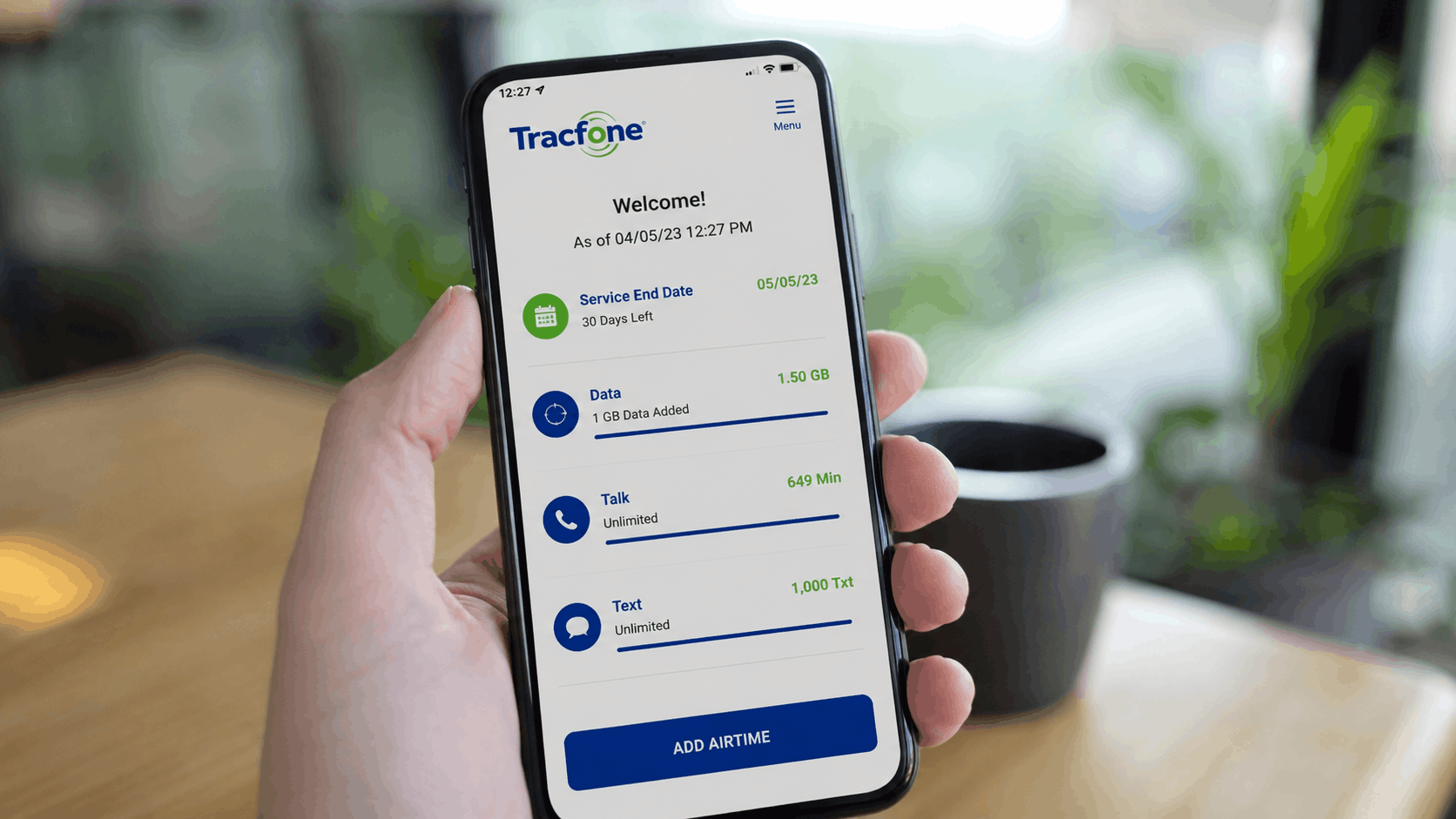
The official TracFone My Account app is the most convenient way to manage your service. It lets you:
- Check your remaining data, talk, and text balance
- Purchase additional service plans
- Refill your account
- View your service expiration date
- Manage multiple TracFone lines
Pros
- Official account management
- Easy plan refills
- Quick access to account information
Cons
Some users have reported that the app occasionally displays incorrect balance information. If something doesn’t look right, it’s a good idea to verify your balance through other methods.
2. Text BALANCE to 611611
Although it isn’t technically an app, texting BALANCE to 611611 is one of the fastest and most reliable ways to check your remaining balance.
Many longtime TracFone users consider this method more accurate than relying solely on the mobile app.
You’ll receive a text message showing:
- Remaining data
- Remaining talk minutes
- Remaining text messages
- Service end date
This only takes a few seconds and doesn’t require logging into your account.
3. Disable Background Data
One of the biggest causes of unexpected data usage is background activity.
Many apps continue syncing, downloading updates, and refreshing content even when you’re not actively using them.
To reduce unnecessary data usage:
- Open Settings
- Select Apps
- Choose an app
- Tap Mobile Data
- Disable Background Data
Repeat this for apps that don’t need constant internet access, such as shopping apps, games, or social media apps.
Doing this can significantly reduce daily data consumption.
4. Remove Unnecessary Carrier Apps
Some TracFone devices include pre-installed carrier software that many users never use.
Apps such as:
- Device Pulse
- Mobile Carrier Services
- Google Partner Services
may continue running in the background.
While some of these apps cannot be completely removed without advanced tools, they can often be disabled through Android’s settings.
Disabling unnecessary apps can improve battery life while reducing background data usage.
5. Shizuku and Canta (For Advanced Users)
If you’re comfortable with Android customization, Shizuku and Canta are popular utilities that allow users to remove or disable certain pre-installed system applications without rooting the device.
Many experienced Android users use these tools to:
- Remove carrier bloatware
- Stop unwanted background services
- Improve device performance
- Reduce unnecessary data usage
Because these apps modify system packages, they’re recommended only for users who understand the risks involved.
6. Use Wi-Fi Whenever Possible
The easiest way to preserve mobile data is simply to use Wi-Fi whenever it’s available.
Whenever possible:
- Download app updates over Wi-Fi
- Stream videos on Wi-Fi
- Back up photos on Wi-Fi
- Download podcasts before leaving home
Even small changes like these can dramatically reduce mobile data usage over time.
7. Enable Google Messages Chat Feature
If both you and the recipient use Google Messages with Chat Features enabled, many conversations can take place over Wi-Fi instead of your cellular connection.
This helps preserve your mobile data when you’re connected to a wireless network.
To enable Chat Features:
- Open Google Messages
- Open Settings
- Select Chat Features
- Turn the feature on
8. Keep Your Service Active to Preserve Data Rollover
One of the biggest advantages of many TracFone plans is data rollover.
Unused data is typically added to your next balance—as long as your service doesn’t expire.
To maximize your rollover benefits:
- Refill before your service end date
- Avoid letting your plan lapse
- Check your expiration date regularly
Missing the renewal deadline could mean losing accumulated balances.
9. Contact Customer Support if Something Looks Wrong
If your remaining balance suddenly changes or appears inaccurate, don’t assume your data is gone forever.
Instead:
- Verify your balance using 611611
- Check your online account
- Contact TracFone customer support
Many users report that support representatives can investigate account discrepancies and resolve balance issues.
10. Escalate Serious Account Problems
If standard customer support cannot resolve a billing or account issue, you still have options.
Some users recommend:
- Requesting a supervisor
- Contacting TracFone’s corporate escalation team
- Filing a complaint with the FCC if appropriate
These steps are generally reserved for unresolved account problems rather than routine technical issues.
Additional Tips to Reduce TracFone Data Usage
Besides using the right apps, these habits can help your data last much longer:
- Turn off automatic app updates on mobile data.
- Stream music at lower quality.
- Download videos before traveling.
- Disable autoplay in social media apps.
- Use Lite versions of apps when available.
- Enable Android’s Data Saver mode.
- Regularly review which apps consume the most data.
Even modest changes can save hundreds of megabytes each month.
Frequently Asked Questions
What is the most accurate way to check my TracFone balance?
Many users find that texting BALANCE to 611611 provides the most reliable information, especially if the app appears out of sync.
Can disabling background data save mobile data?
Yes. Preventing apps from syncing in the background can significantly reduce data consumption, particularly for social media, cloud storage, and shopping apps.
Are Shizuku and Canta safe?
They are widely used by Android enthusiasts, but they’re intended for advanced users who understand Android system management. Casual users should stick to disabling apps through Android settings.
Does unused TracFone data roll over?
Yes, in most cases, as long as you renew your service before it expires. If your plan lapses, you may lose your accumulated balance.
